

How to: Cornell Notes: Storyboard


Storyboard Szöveg
- Csúszik: 1
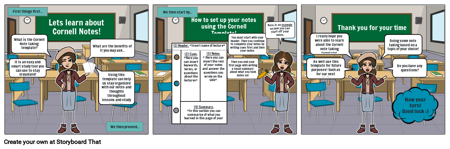
- First things first...
- What is the Cornell Note taking template?
- What are the benefits of it you may ask...
- Using this template can help us stay organized with our notes and thoughts throughout lessons and study sessions.
- We then proceed...
- Csúszik: 2
- Lets learn about Cornell Notes!
- We then start by...
- How to set up your notes using the Cornell Template!
- Here is an example on how you can start off your notes.
- You must start with your header. Then you continue to complete your notes by writing cues first and then your notes.
- (1) Header: *Insert name of lecture*
- (3) Notes:* Here you can insert the rest of your notes and answer the questions you wrote on the side*
- (2) Cues:*Here you can insert keywords, terms, or questions about the lectures*
- (4) Summary: *In this section you can summarize of what you learned in this page of your notes*
- Csúszik: 3
- Thank you for your time
- I really hope you were able to learn about the Cornell note taking template!
- Doing some note taking based on a topic of your choice!
- Do you have any questions?
- Now your turn! Good luck :)
- Csúszik: 0
- It is an easy and smart study tool you can use to stay organized!
- Then you end your first page with writing a small summary about what you took notes on!
- As well use this template for future purposes! Such as for our next activity...