

Break Buddy Storyboard


Storyboard Tekst
- Dia: 1
- Still a lot to finish for this project..
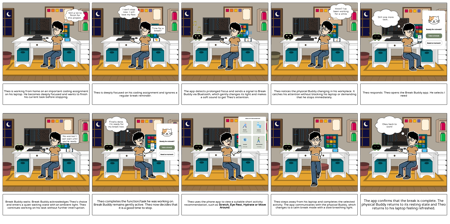
- Theo is working from home on an important coding assignment on his laptop. He becomes deeply focused and wants to finish his current task before stopping.
- Dia: 2
- I can't stop now. I will lose my flow.
- Time for a break?
- Theo is deeply focused on his coding assignment and ignores a regular break reminder.
- Dia: 3
- The app detects prolonged focus and sends a signal to Break Buddy via Bluetooth, which gently changes its light and makes a soft sound to get Theo's attention.
- Dia: 4
- Hmm? I've been working for a while
- Theo notices the physical Buddy changing in his workplace. It catches his attention without blocking his laptop or demanding that he stops immediately.
- Dia: 5
- Still one more task..
- Theo responds: Theo opens the Break Buddy app. He selects I need
- Dia: 6
- No worries! I can wait until you're ready.
- Break Buddy waits: Break Buddy acknowledges Theo's choice and enters a quiet waiting state with an ambient light. Theo continues working on his task without further interruption.
- Dia: 7
- Finally done. I'm ready for my break now.
- Theo completes the function/task he was working on. Break Buddy remains gently active. Theo now decides that it is a good time to stop.
- Dia: 8
- Theo uses the phone app to view a suitable short activity recommendation, such as Stretch, Eye Rest, Hydrate or Move Around.
- Dia: 9
- Theo steps away from his laptop and completes the selected activity. The app communicates with the physical Buddy, which changes to a calm break mode with a slow breathing light.
- Dia: 10
- Okay back to work!
- The app confirms that the break is complete. The physical Buddy returns to its resting state and Theo returns to his laptop feeling refreshed.