

Untitled Storyboard


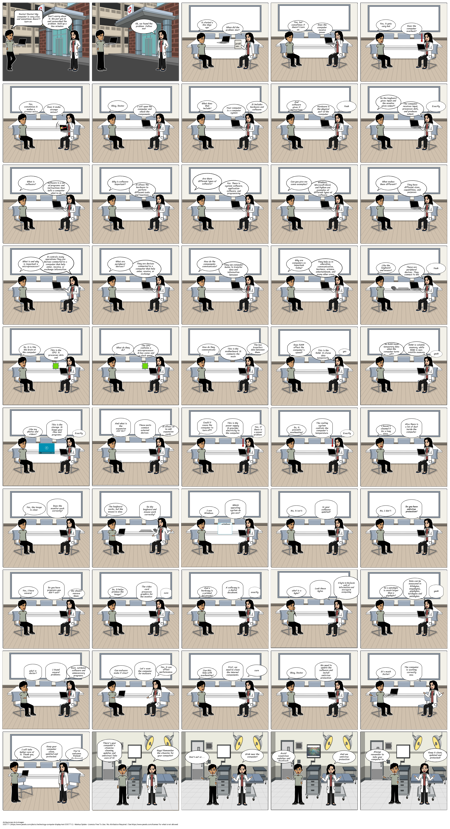
Texto do Storyboard
- Deslizar: 1
- Doctor! Doctor! My computer is very slow and sometimes doesn't turn on.
- Don't worry about it. We just got in and researched the problem. hold up a few minutes
- Deslizar: 2
- Ok, we found the problem. Follow me!
- Deslizar: 3
- it started a few days ago
- When did the problem start
- problem..
- Deslizar: 4
- Yes, but sometimes it doesn't turn on.
- Does the computer receive power correctly?
- Deslizar: 5
- Yes, it gets very hot
- Does the computer overheat?
- Deslizar: 6
- Yes, sometimes it makes a strange noise
- Does it make strange noises?
- Deslizar: 7
- Okay, Doctor
- I will open the computer and check the components.
- Deslizar: 8
- What does that include?
- It includes hardware and software
- Your computer is a computer system
- Deslizar: 9
- And software gives it instructions?
- Yeah
- Hardware is the physical part of the computer
- Deslizar: 10
- So the keyboard gives input and the monitor gives output?
- Exactly
- The computer receives input, processes data, and produces output.
- Deslizar: 11
- What is software?
- Software is a set of programs and instructions that tells a computer what to do
- Deslizar: 12
- Why is software important?
- It allows the hardware to perform different tasks and functions.
- Deslizar: 13
- Are there different types of software?
- Yes. There is system software, application software, and programming software.
- Deslizar: 14
- Can you give me some examples?
- Windows, Microsoft Word, and Python are examples of different types of software
- Deslizar: 15
- What makes them different?
- They have different sizes, capabilities, and purposes.
- Deslizar: 16
- It controls many operations.They are devices connected to a computer that help enter, receive, or exchange information.
- What is and why is important a microprocessor?
- Deslizar: 17
- What are peripheral devices?
- They are devices connected to a computer that help enter, receive, or exchange information
- Deslizar: 18
- How do the components communicate?
- They use computer buses to transfer data and information between components.
- Deslizar: 19
- Why are computers so important today?
- They help us in education, communication, business, science, entertainment, and many other areas
- Deslizar: 20
- Like the keyboard and mouse?
- Yeah
- These are peripheral devices. They connect to the computer.
- Deslizar: 21
- So, it is like the brain of the computer.
- This is the CPU. It processes data and instructions.
-
- Deslizar: 22
- What do they do?
- The CPU contains a microprocessor. It has cores and a clock speed.
-
- Deslizar: 23
- How do they communicate?
- This is the motherboard. It connects the main components.
- Deslizar: 24
- Does RAM affect the computer's speed?
- This is the RAM. It stores data temporarily.
- Deslizar: 25
- RAM is volatile memory, while ROM is non-volatile memory.
- So RAM loses temporary data when the computer turns off?
- Deslizar: 26
- This is the storage. It keeps your files and programs.
- Like my photos and videos?
- Exactly
- Deslizar: 27
- And what is the expansion slot for?
- These ports connect external devices.
- It allows us to add expansion cards.
- Deslizar: 28
- This is the power supply. It provides electricity to the computer.
- Could it cause the computer to turn off?
- Yes, if there is a power problem.
- Deslizar: 29
- The cooling system controls the computer's temperature.
- So, it prevents overheating?
- Exactly
- Deslizar: 30
- Also there is a lot of dust inside the computer.
- I haven't cleaned it for a long time.
- Deslizar: 31
- Does the monitor work correctly?
- Yes, the image is clear.
- Deslizar: 32
- Do the keyboard and mouse work correctly?
- The keyboard works, but the mouse is slow.
- Deslizar: 33
- Which operating system do you use?
- I use Windows.
- windows
- Deslizar: 34
- Is your software updated?
- No, it isn't
- Deslizar: 35
- Do you have antivirus protection?
- No, I don't.
- Deslizar: 36
- Do you have programs you don't use?
- Yes, I have several.
- We should remove them.
- Deslizar: 37
- The video card processes graphics for the monitor.
- So, it helps produce the image?
- Deslizar: 38
- A softcopy is a digital document.
- And a hardcopy is a printed document?
- Deslizar: 39
- Look these bytes
- what is a byte?
- Deslizar: 40
- Data can be measured in kilobytes, megabytes, gigabytes, terabytes and petabytes.
- So a petabyte is much larger than a gigabyte?
- Deslizar: 41
- I found several problems.
- Dust, outdated software and unnecessary programs.
- Deslizar: 42
- Let's scan the computer for malware.
- Yes, it can affect performance.
- Can malware make it slow?
- Deslizar: 43
- First, we need to clean the internal components.
- sure
- Can this help with overheating?
- Deslizar: 44
- We need to update the software and install antivirus protection.
- Okay, Doctor
- Deslizar: 45
- The computer is working correctly now.
- It's much faster!
- Deslizar: 46
- Keep your computer clean, updated and protected.
- I will take better care of it. Thank you, Doctor!
- You're welcome. Patient discharged!
- Deslizar: 47
- There's your computer's vitamins: cleaning, updates and antivirus! Take care of it!
- Guys! Remember the vitamins for your computer!
- Deslizar: 48
- drink near the computer!
- Don't eat or.....
- Deslizar: 49
- Avoid suspicious websites and downloads
- And use antivirus protection
- Deslizar: 50
- Keep it clean, updated and protected!
- Always remember to take your computer to check!
- Deslizar: 0
- The bus transfers data between them.
- sure
- exactly
- A byte is the basic unit of information and storage in computing
- yeah
- yeah
- yes
- what is doctor?
Atribuições da Imagem
- 330771 - Markus Spiske - (Licença Free To Use / No Attribution Required / See https://www.pexels.com/license/ for what is not allowed )