

Untitled Storyboard


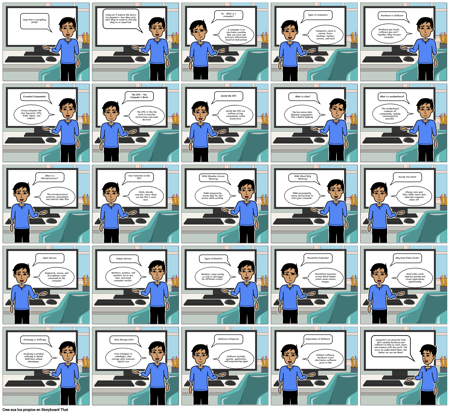
Storyboard-Text
- Gleiten: 1
- Hey! How's everything going?
- Gleiten: 2
- Today we'll explore the basics of computers- how they work, what they're made of, and why they're so important
- Gleiten: 3
- So... What is a computer?
- A computer is an electronic machine that can store and proccess information, based on instructions
- Gleiten: 4
- Types of computers
- Computers come in various forms: desktops, laptops, servers, and more
- Gleiten: 5
- Hardware vs Software
- Gleiten: 6
- Essential Components
- Gleiten: 7
- The CPU - The Computer's Brain
- The CPU is like the brain it executes instructions and make decision.
- Gleiten: 8
- Inside the CPU
- Inside the CPU are millions of tiny components called transistors
- Gleiten: 9
- What is a Bus?
- Gleiten: 10
- What is a motherboard?
- Gleiten: 11
- What is a Microproccesor?
- The microproccessor performs calculations and controls data flow
- Gleiten: 12
- Four Functions of the CPU
- Fetch, decode, execute, store; these are the CPU's main task.
- Gleiten: 13
- RAM (Random Access Memory)
- Gleiten: 14
- ROM (Read Only Memory)
- Gleiten: 15
- Saving Your Work
- Always save your files; RAM clears data when the computer shuts off.
- Gleiten: 16
- Input devices
- Keyboards, mouse, and microphones send commands to the computer
- Gleiten: 17
- Output devices
- Gleiten: 18
- Types of Monitors
- Gleiten: 19
- Resolution Explained
- Resolution measures screen detail-higher pixels mean clearer images.
- Gleiten: 20
- Why Good Video Cards?
- Good video cards improve gaming and visual experiences significantly.
- Gleiten: 21
- Hardcopy vs Softcopy
- Gleiten: 22
- Data Storage Units
- Gleiten: 23
- Software Categories
- Software includes system, application, and programming types
- Gleiten: 24
- Importance of Software
- Without software, hardware is just electronics software gives it life!
- Gleiten: 25
- Computers are powerful tools that combine hardware and software to help us work, learn, and connect with the world. The more we understantd them, the better we can use them!
- Gleiten: 0
- Hardware you touch; software you can't. Together, they run your computer.
- Every computer has four key parts: CPU, RAM, inputs, and outputs.
- The bus moves data between components, like a digital highway
- The motherboard connects all components, making communication possible.
- RAM temporarily stores data for fast access while working.
- ROM permanently stores instructions to start your computer.
- Monitors, printers, and speakers let us see, hear, and touch computer results.
- Monitors come mainly as LCD or LED types for different visuals.
- Hardcopy is printed, softcopy is digital. Both have unique advantages.
- From kilobytes to zettabytes, data storage units measure digital size