

Unknown Story


Testo Storyboard
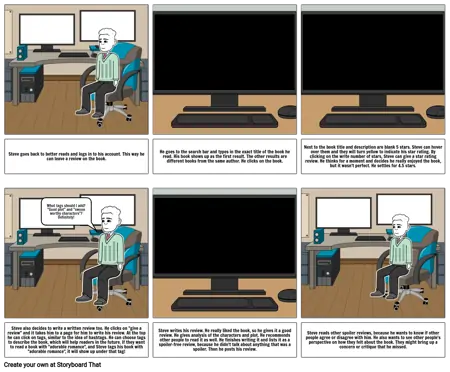
- Steve goes back to better reads and logs in to his account. This way he can leave a review on the book.
- What tags should I add? "Good plot" and "swoon worthy characters"? Definitely!
- He goes to the search bar and types in the exact title of the book he read. His book shows up as the first result. The other results are different books from the same author. He clicks on the book.
- Next to the book title and description are blank 5 stars. Steve can hover over them and they will turn yellow to indicate his star rating. By clicking on the write number of stars, Steve can give a star rating review. He thinks for a moment and decides he really enjoyed the book, but it wasn't perfect. He settles for 4.5 stars.
- Steve also decides to write a written review too. He clicks on "give a review" and it takes him to a page for him to write his review. At the top he can click on tags, similar to the idea of hashtags. He can choose tags to describe the book, which will help readers in the future. If they want to read a book with "adorable romance", and Steve tags his book with "adorable romance", it will show up under that tag!
- Steve writes his review. He really liked the book, so he gives it a good review. He gives analysis of the characters and plot. He recommends other people to read it as well. He finishes writing it and lists it as a spoiler-free review, because he didn't talk about anything that was a spoiler. Then he posts his review.
- Steve reads other spoiler reviews, because he wants to know if other people agree or disagree with him. He also wants to see other people's perspective on how they felt about the book. They might bring up a concern or critique that he missed.