

Apollo Video


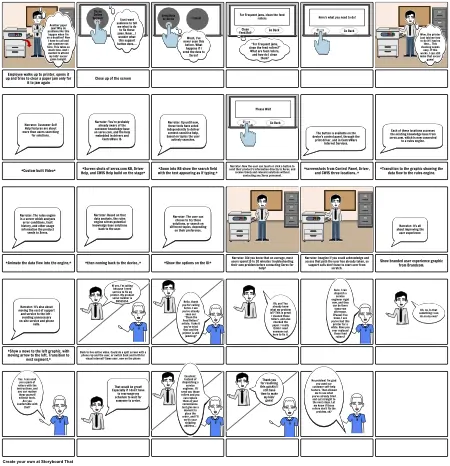
Storyboard Description
Printer
Storyboard Text
- Another paper jam? Why do problems like this happen when I’m on a deadline? Now I have to call and get someone out here. This takes so much time. And I wanted to attend my kids’ soccer game tonight.
- Xerox Online Support
- I just want someone to tell me what to do to fix these jams. Hmm… I wonder what this support button does….
- Send Data to Xerox
- Woah, I’ve never seen this before. What happens if I send the data to Xerox?
- Cancel
- For Frequent jams, clean the feed rollers
- Clean Feed Roll
- “For Frequent jams, clean the feed rollers?” What are feed rollers, and how do I clean them?
- Go Back
- Here's what you need to do!
- Clean Feed Roll
- Go Back
- Wow, the printer just told me how to do it! I had no idea… This cleaning seems easy. If this works, I can still make that soccer game!
- Employee walks up to printer, opens it up and tries to clear a paper jam only for it to jam again
- Narrator: Customer Self Help features are about more than users searching for solutions.
- Close up of the screen
- Narrator: You’re probably already aware of the customer knowledge base on xerox.com, and the help embedded in drivers and CentreWare IS.
- Narrator: Up until now, these tools have acted independently to deliver context-sensitive help, based on topics the user actively searches.
- Please Wait
- Clean Feed Roll
- Go Back
- The button is available on the device’s control panel, through the print driver, and in CentreWare Internet Services.
- Each of these locations accesses the existing knowledge base from xerox.com, which is now connected to a rules engine.
- *Custom built Video*
- *Screen shots of xerox.com KB, Driver Help, and CWIS Help build on the stage*
- *Zoom into KB show the search field with the text appearing as if typing.*
- Narrator: Now the user can touch or click a button to send their product’s information directly to Xerox, and receive timely and relevant solutions without contacting any Xerox personnel.
- *screenshots from Control Panel, Driver, and CWIS three locations..*
- *Transition to the graphic showing the data flow to the rules engine.
- *Animate the data flow into the engine,*
- Narrator: The rules engine is a server which analyzes error conditions, fault history, and other usage information the product sends to Xerox.
- *then coming back to the device.,*
- Narrator: Based on that data analysis, the rules engine serves potential knowledge base solutions back to the user.
- *Show the options on the UI*
- Narrator: The user can choose to try these solutions, or search on different topics, depending on their preference.
- Narrator: Did you know that on average, most users spend 15 to 20 minutes troubleshooting their own problem before contacting Xerox for help?
- Narrator: Imagine if you could acknowledge and access that path the user has already taken, so support calls don’t have to start over from scratch.
- Show branded user experience graphic from Brandcom.
- Narrator: It’s all about improving the user experience.
- Narrator: It’s also about moving the cost of support and service to the left – avoiding unnecessary on-site service and phone calls.
- Hi yes, I’m calling because I need service to fix my printer. My product serial number is SN555554.
- Hello, thank you for calling Xerox. I see you’ve already seen our “Clean the Feed Rollers” article. I take it you’ve tried that and the printer is still jamming?
- Oh, yes! You already know what my problem is?? This is great! I cleaned those rollers, and also checked the paper. I really think I need someone out here to fix it.
- Sure, I can dispatch a service engineer right now, and they can be there tomorrow afternoon. [Pause] You know, I see you’ve had this printer for a while. Have you ever replaced those feed rollers?
- Uh, no. Is that something I can do on my own?
- *Show a move to the left graphic, with moving arrow to the left. Transition to next segment,*
- Yes. I can send you a pack of rollers with the instructions, and you can replace them yourself without tools. Are you comfortable with that?
- Back to live action video. Could do a split screen with a phone rep and the user, or switch back and forth for visual interest? Same user, now on the phone
- That would be great! Especially if I don’t have to rearrange my schedule to wait for someone to arrive.
- Excellent. Instead of dispatching a service engineer, I’ll send you those rollers and you can replace them at your convenience. Just give me a moment to place the order, and I’ll verify your shipping address…
- Thank you for resolving this quickly! I still have time to make my kids’ game!
- No problem! I’m glad you used our customer self-help feature. That allowed me to see what you’ve already tried and cut straight to the next steps. Let me know if those rollers don’t fix the problem, ok?